SIGN UP TODAY!


BOOST YOUR
FUNDRAISING EFFORTS
Wondering how to increase how much your team raises?
We're here to help. Here are some tips and tricks to assist your fundraising efforts.
Corporate matching
Many companies have a donation matching initiative for employees who fundraise. Ask your employer if there is a matching program established at your workplace. Since every dollar raised provides 2 meals for those in need, every matched dollar can allow your campaign to feed twice as many people!
campaign materials
We've got you covered! Through Second Harvest, you can order a free campaign kit of materials to make your campaign fun and successful, including:
-
Posters
-
Stickers
-
Hero masks and capes
-
Second Harvest brochures
Contact Stacey at
or
click here to order your materials today.
Social media
Spread the word through both your personal and company social media channels. You'll reach a wider audience and raise awareness about the important work you're doing to help Canada's most vulnerable people.
Impact stores
Click to download our resource package, which includes impact stories from some of the agencies we support across Canada. Feel free to share these stories to help boost donations to your campaign and awareness about Second Harvest's mission of
"No Waste. No Hunger."
SENDING A FUNDRAISING EMAIL
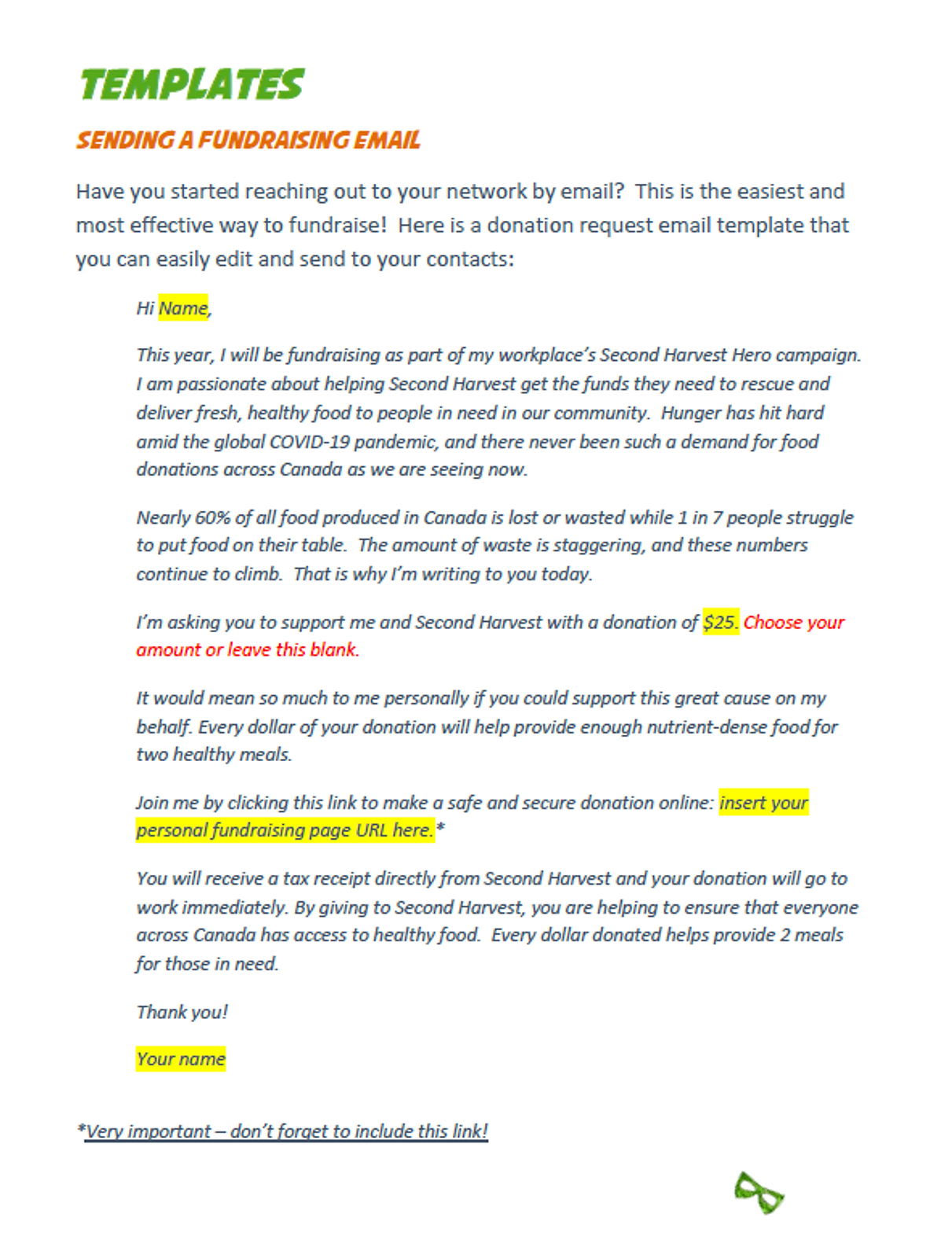
Have you started reaching out to your network by email? This is the easiest and most effective way to fundraise! Click to donate a request email template that you can easily edit and send to your contacts.

YOUR ONLINE
FUNDRAISING PAGE
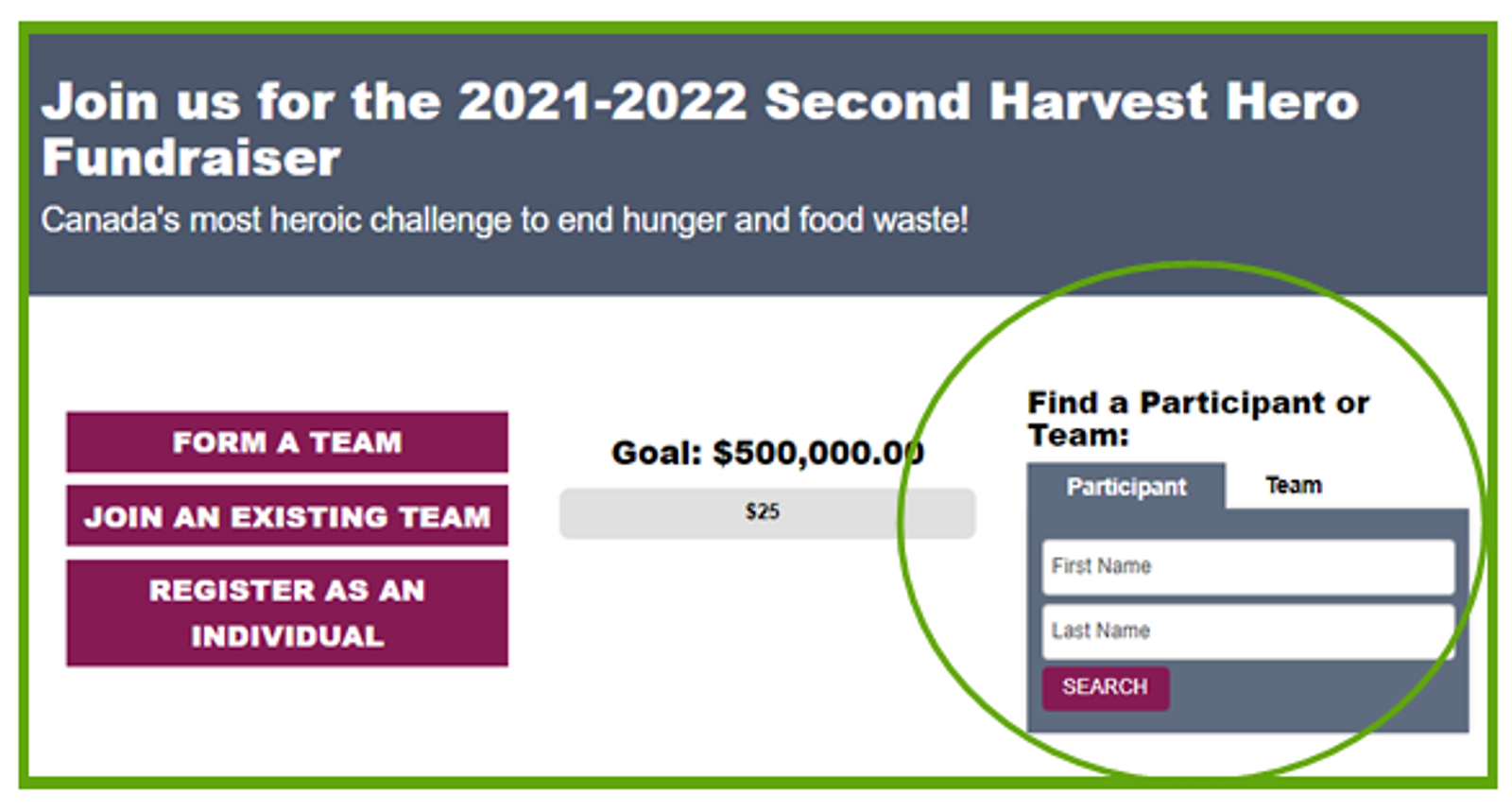
All Second Harvest Hero campaigns can be set up with an online team page to be used for online donations. While online fundraising is not a mandatory component for Second Harvest Hero campaigns, it’s a great resource for campaigns to use to help boost their fundraising, especially for virtual campaigns while staff continue to work remotely.
Where to find your page
-
Your Second Harvest Hero representative can send you the link and login information for your personal or team page.
-
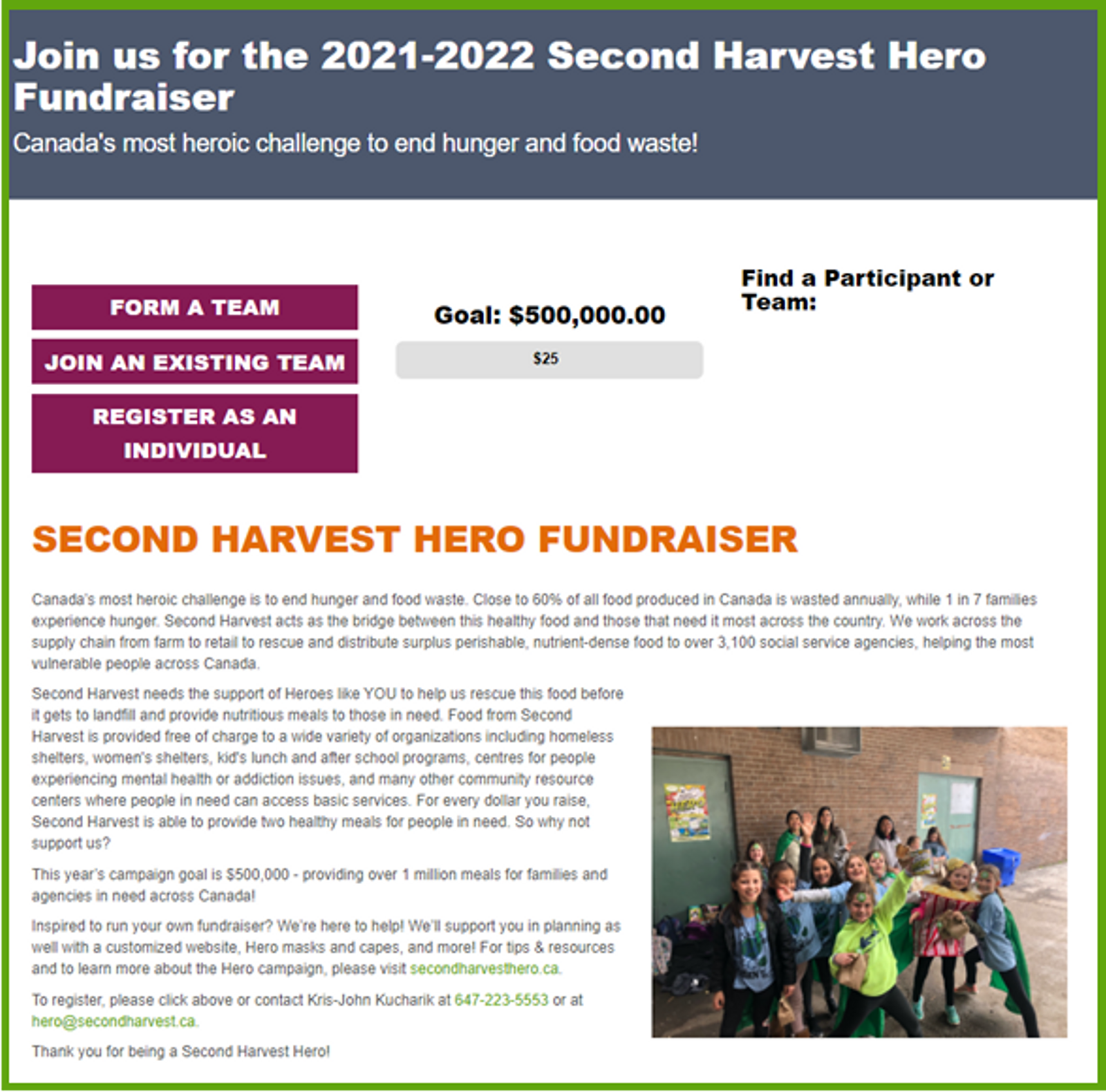
All team and personal pages can be found by going to the Second Harvest Hero's fundraising home page and searching for a team or participant name.
Searching for teams and participants
-
Click on the "Team" tab in "Find a Participant or Team". Both teams and registered individuals can be found in this search portal.
-
Enter your team or participant name.
-
*Note* you can login to your page anytime by clicking on the login tab at the top of the page.
Your Team Page - What Donors See
Team Picture or Video
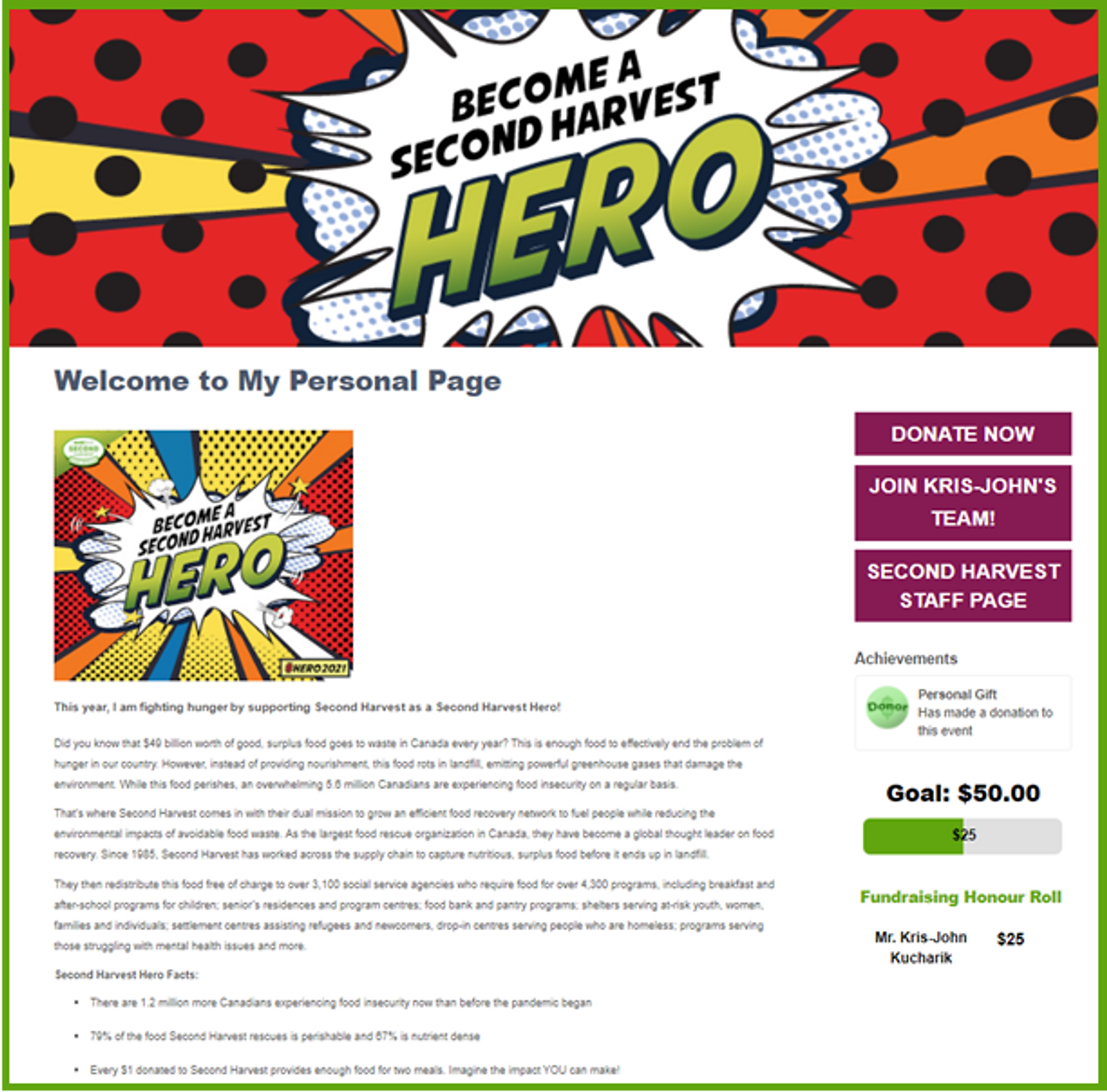
Show people who you are! A default picture is set for each campaign, but you can log in to customize and add a team picture or video of your own that will appear at the top.
Your Message
Tell everyone why you're fundraising. We give you some copy to get started, but feel free to customize with
your own story.
Team &
Fundraising Status
On the right-hand side, you can donate to the team, join the team, see who is registered with the team, see how much has been raised and what the goal is, and also identify the team's top donors. Registered team members and donors can choose to not have this information be publicly viewable.
Your Team Page - What You See
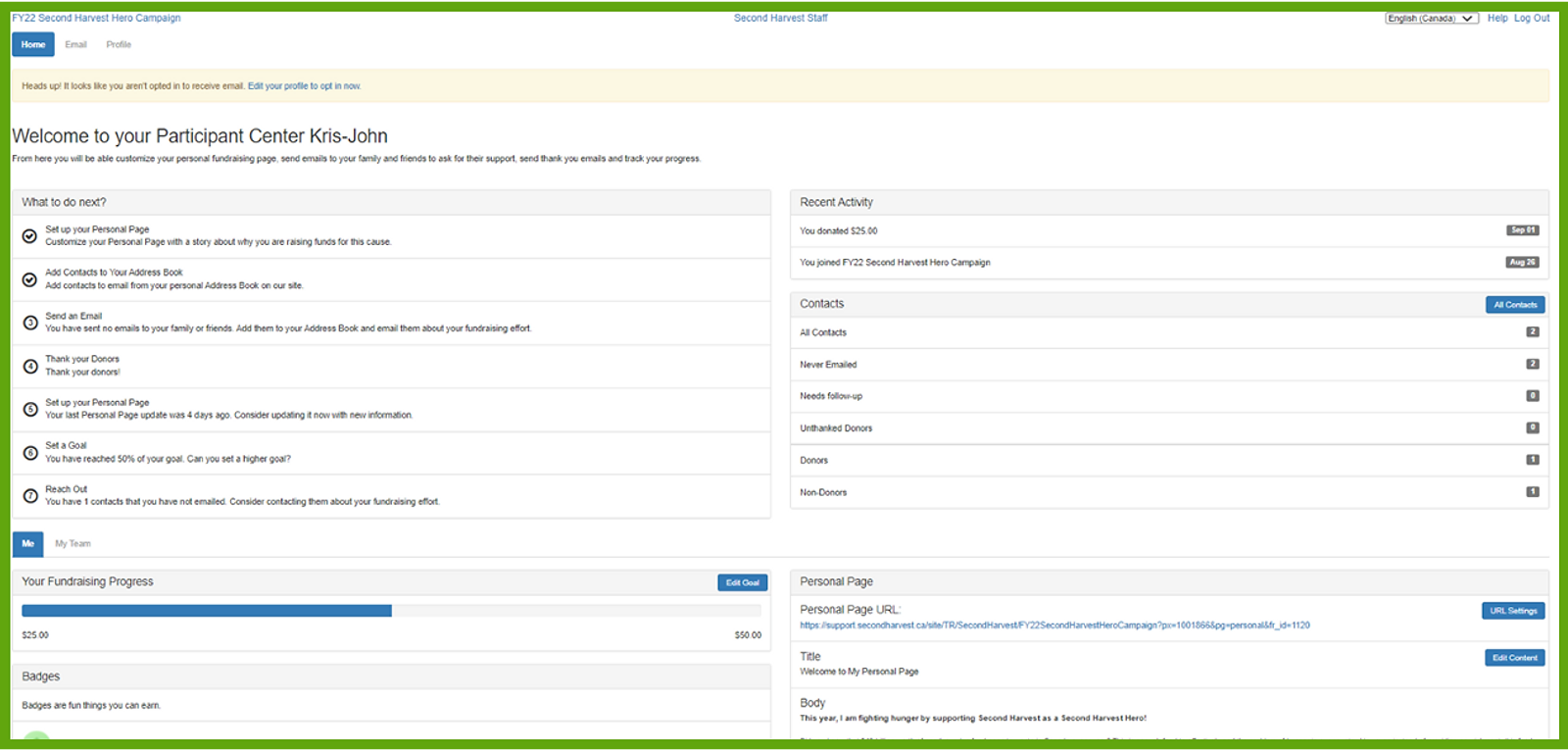
Email and Profile Settings
Sending personalized messages can be a big help in getting you closer to your fundraising goal. In the upper left-hand corner, you can click on the "Email" tab to send out customized emails to potential donors, or click on the "Profile" tab to edit your profile settings and information.
"What to do next?"
Consider this section as a helpful guide and checklist to help you get the most out of your personal or team page.
Fundraising Progress
You can check the fundraising status for yourself, for your team, and even your company. You can also add personal donations and adjust your fundraising goals.
Personal Page
You can edit text and images for your page and even create a personalized URL to allow for easier sharing.

WANT TO START YOUR OWN PAGE?
Contact Kris-John Kucharik at [email protected] or click below to register your page in as little as 5 minutes!